Accept Bitcoin in WooCommerce
Create a unique on-chain payment address for each order, show the exact amount in sats, and track confirmations on Bitcoin Testnet4 or mainnet.
Explore Bitcoin paymentsManatee for WooCommerce
Official WordPress.org pluginAdd a crypto checkout that feels native to your store. BTC, BCH, and XMR appear under one WooCommerce payment method, orders stay in WooCommerce, and funds settle to wallet addresses you control.
Supported payment assets
Create a unique on-chain payment address for each order, show the exact amount in sats, and track confirmations on Bitcoin Testnet4 or mainnet.
Explore Bitcoin paymentsGive customers a CashAddr payment destination and exact BCH amount while Manatee monitors matching payments on Testnet4 or mainnet.
Explore Bitcoin Cash paymentsOffer XMR after your view-only receive wallet is ready. Your store does not need to run monerod or wallet-rpc, and it never receives a view or spend key.
Explore Monero paymentsOne purchase, three views
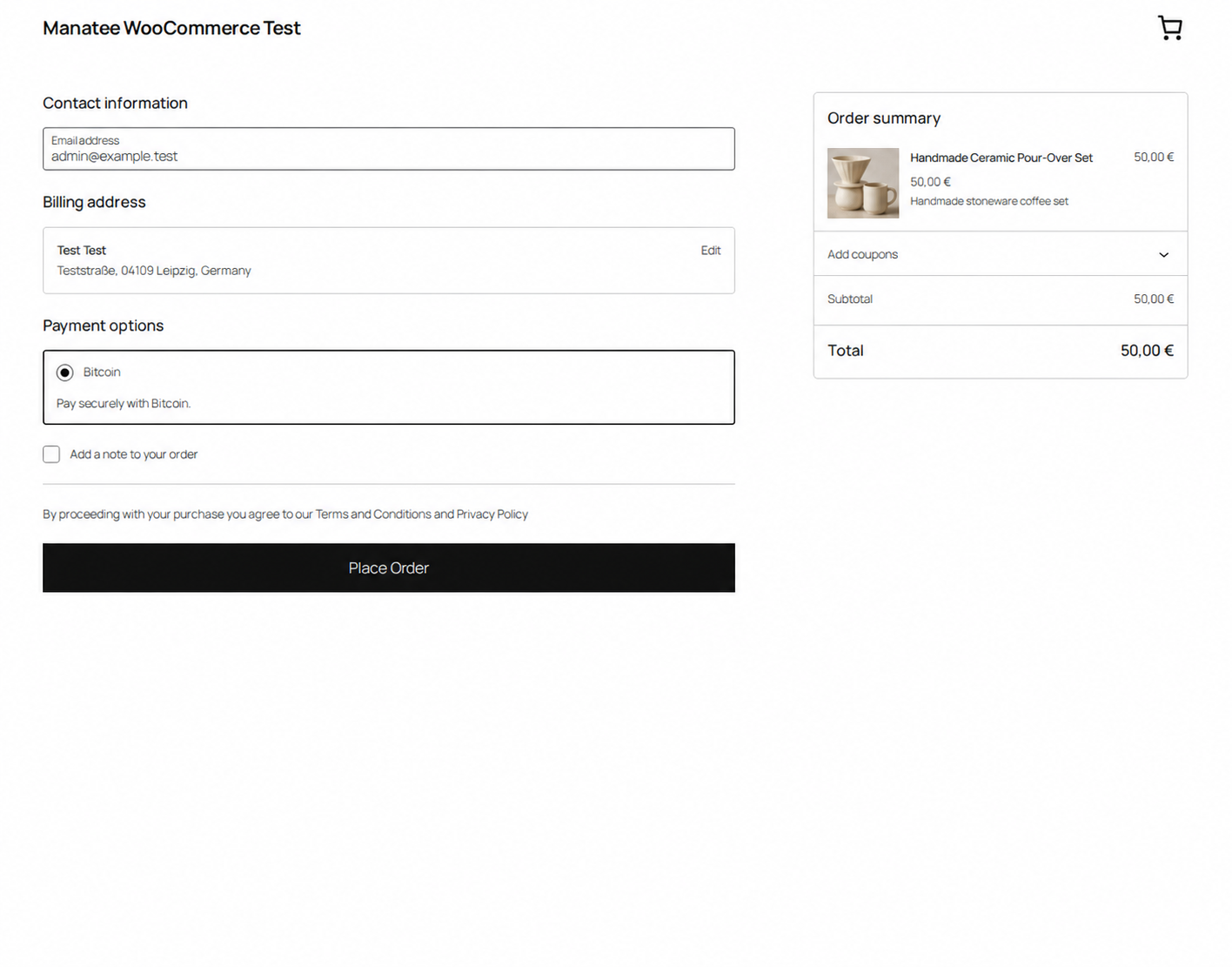
The customer reviews a familiar WooCommerce checkout and places the order without leaving the store.
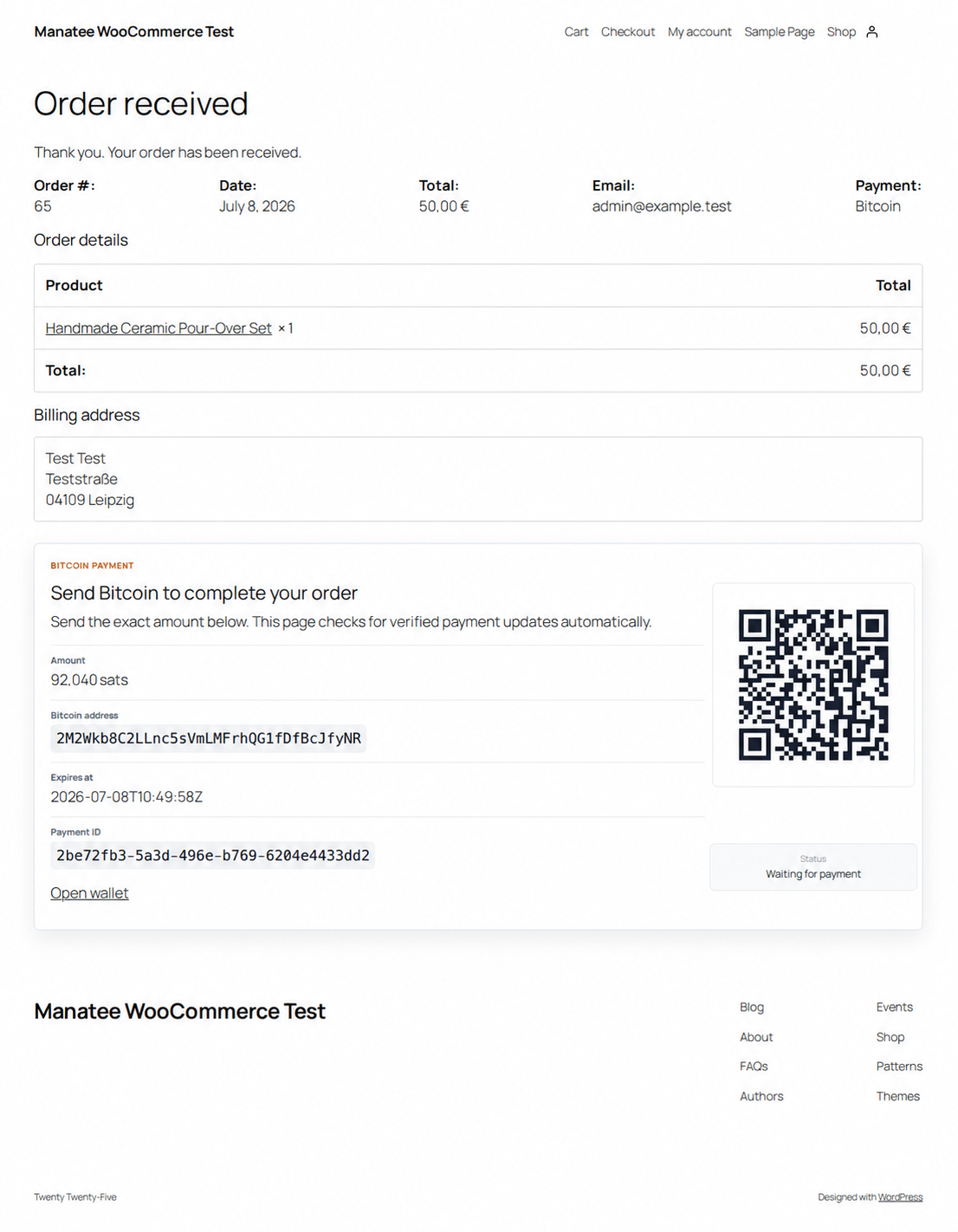
Amount, address, QR code, expiry, and verified status stay attached to the WooCommerce order.
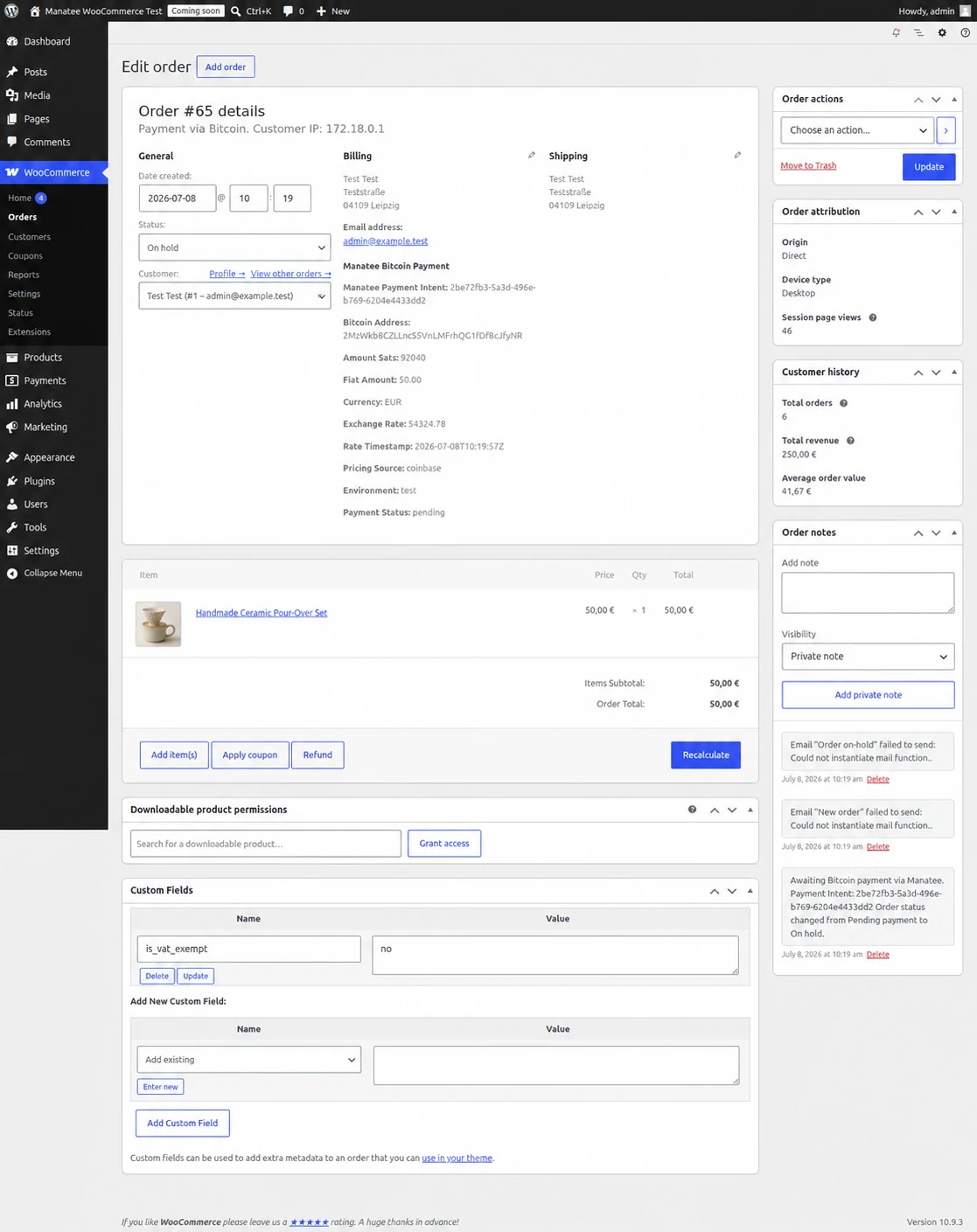
Payment ID, address, amount, network, quote data, and status remain visible in the order admin.
Merchant workflow
Install from WordPress.org, choose Test or Live mode, and save the matching API key and webhook secret.
The gateway creates an asset-specific payment and renders a local QR code, exact atomic amount, address, network, and expiry.
Signed events move the order through the statuses configured by the merchant.
Before installing
You need WordPress 6.5 or newer, PHP 8.1 or newer, WooCommerce and HTTPS. Create a Manatee account and configure at least one Test receive wallet in the dashboard, then connect the matching Test API key and webhook secret. Validate checkout on a staging store before switching to Live.
No. Customers pay addresses controlled by the merchant. Manatee monitors the payment state and does not custody funds.
No spend keys are stored in WordPress or Manatee. BTC/BCH use read-only wallet data or merchant addresses; XMR uses a private view key that can observe funds but cannot spend them. Manatee does not display the view key again after submission.
Yes. Test mode maps the shared Test credential to BTC/BCH Testnet4 and XMR Stagenet, so checkout, webhook, expiry, and order-status behavior can be validated without real funds.
The plugin verifies the signed event and applies the detected or confirmed WooCommerce status configured in the gateway settings.
Start in Test mode