Manatee for WooCommerce
Official WordPress.org pluginBitcoin checkout that feels native to the store.
Add on-chain Bitcoin as a WooCommerce payment method. Orders stay in WooCommerce, payment events are verified by the plugin, and funds settle to wallet addresses you control.
One purchase, three views
See the gateway inside a real WooCommerce order flow.
The example purchase is a €50 handmade ceramic pour-over set shipped to Leipzig.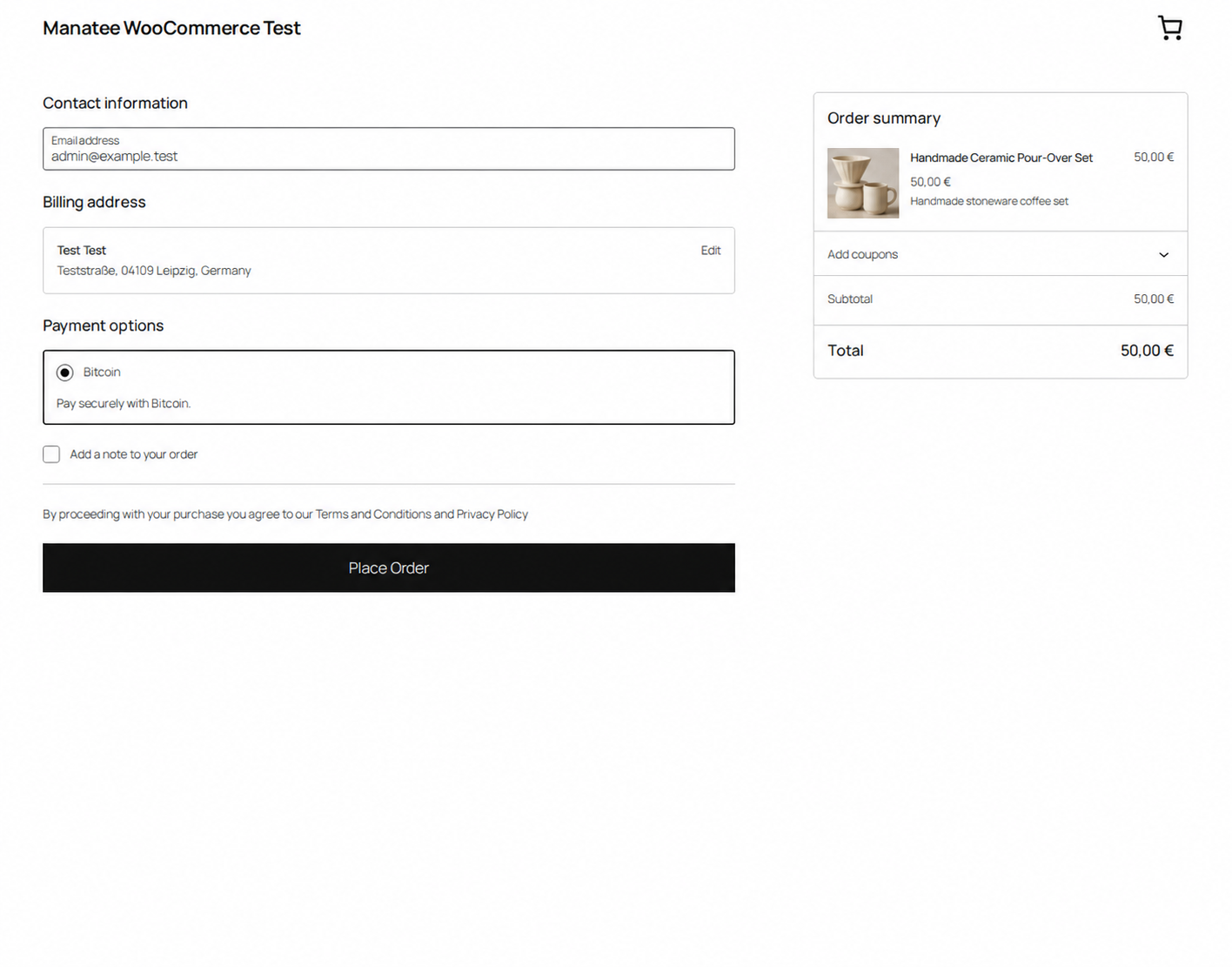
Bitcoin appears beside the store’s other payment methods.
The customer reviews a familiar WooCommerce checkout and places the order without leaving the store.
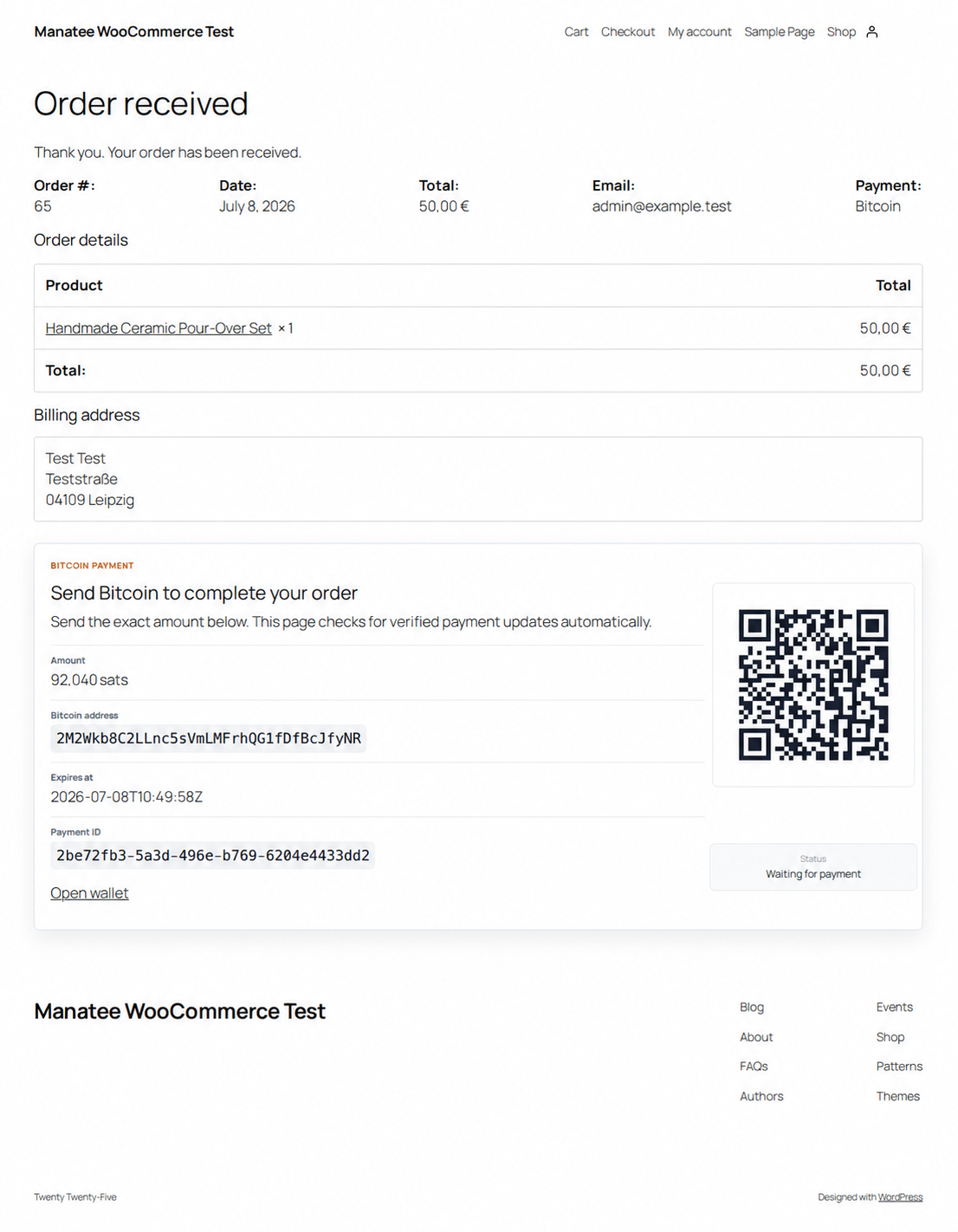
The order page shows exact payment instructions.
Amount, address, QR code, expiry, and verified status stay attached to the WooCommerce order.
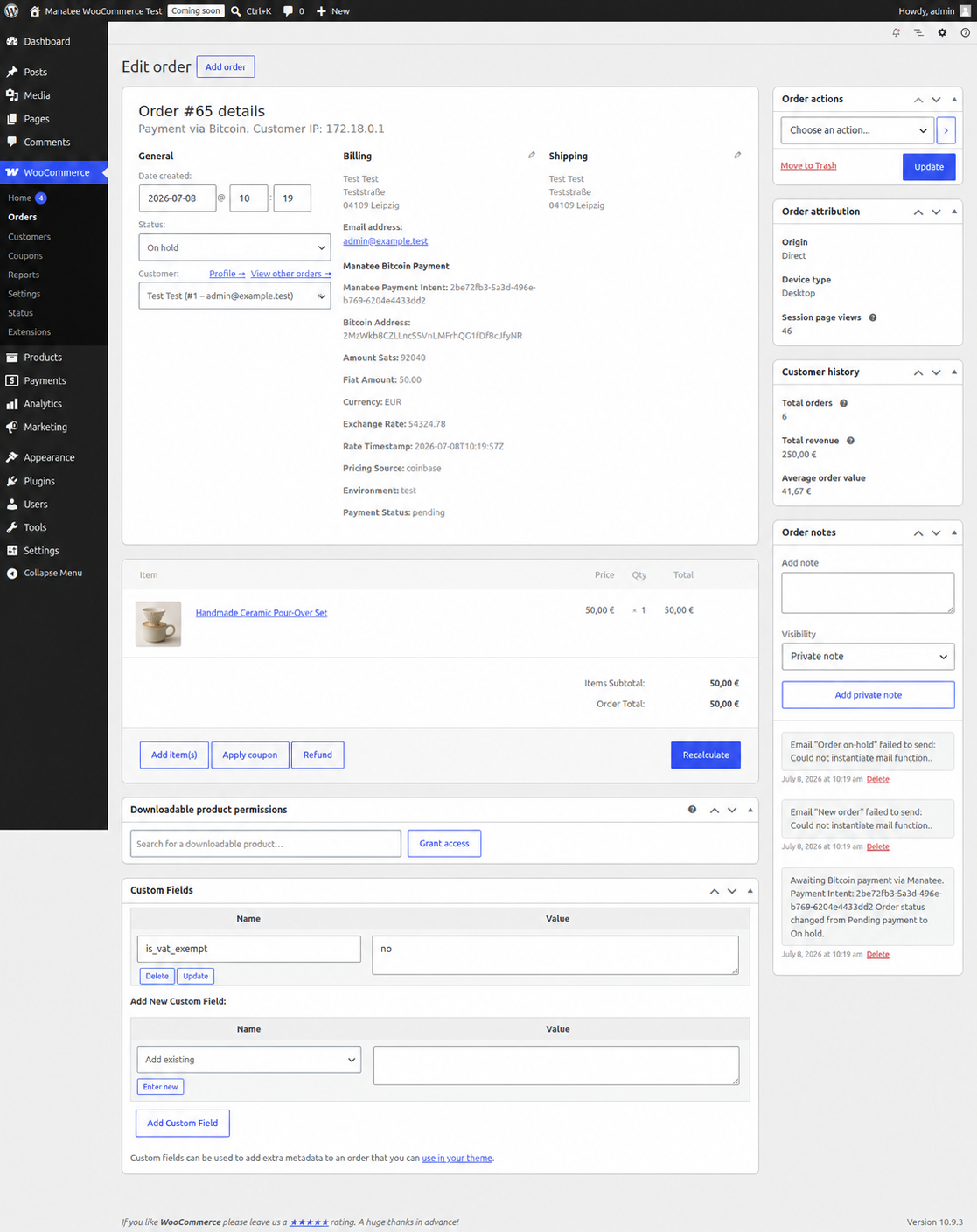
Store staff keep payment evidence where they expect it.
Payment ID, address, amount, network, quote data, and status remain visible in the order admin.
Merchant workflow
From plugin install to verified order state.
- 01
Install and connect
Install from WordPress.org, choose Test or Live mode, and save the matching API key and webhook secret.
- 02
Receive the order
The gateway creates a payment and renders a local QR code, exact satoshi amount, address, and expiry.
- 03
Verify and update
Signed events move the order through the statuses configured by the merchant.
Before installing
The operational details, without the sales detour.
Does Manatee hold the customer’s Bitcoin?
No. Customers pay addresses controlled by the merchant. Manatee monitors the payment state and does not custody funds.
Does the plugin need a seed phrase or private key?
No. Private wallet keys stay out of WordPress and Manatee. Production receive configuration uses public wallet data or an address flow controlled by the merchant.
Can the checkout be tested before mainnet?
Yes. Test mode uses a network-scoped Testnet4 API key so checkout, webhook, expiry, and order-status behavior can be validated without real BTC.
What happens when a payment is detected?
The plugin verifies the signed event and applies the detected or confirmed WooCommerce status configured in the gateway settings.
Start in Test mode